Written by Darell Tan on 24 Jul 2013Share Comments
Around this time last month, the haze (or what some people call smog) here set a record high level for the Pollutant Standards Index (PSI). This is what it looked like outside:
As our National Environment Agency only published 3 hour PSI averages, I thought it would be good if we could get our own measurements. The PSI used here is somewhat like the Air Quality Index (AQI) used in the US, and is made up of 5 components:
PM10 particulate matter
sulphur dioxide (SO2)
carbon monoxide (CO)
nitrogen dioxide (NO2)
ozone
Note that the AQI includes PM2.5 particulate matter whereas PSI does not. From what we can see, I would think that a major contributor to the PSI is particulate matter (PM).
I took a brief look at the projects such as the Air Quality Egg and PACMAN. They used either the Sharp GP2Y1010AU0F or the Shinyei PPD42NS. These sensors generally operate based on the light-scattering principle, by measuring the amount of light that is scattered by particles.
The PPD42NS
Chris Nafis has done a great job documenting the use of both the GP2Y1010AU0F and the PPD42NS, compared against a Dylos DC1100 air quality monitor. As the GP2Y1010AU0F requires a certain pulse waveform to be supplied to its LED pin, I would say that the PPD42NS is self-contained and thus much easier to hook up.
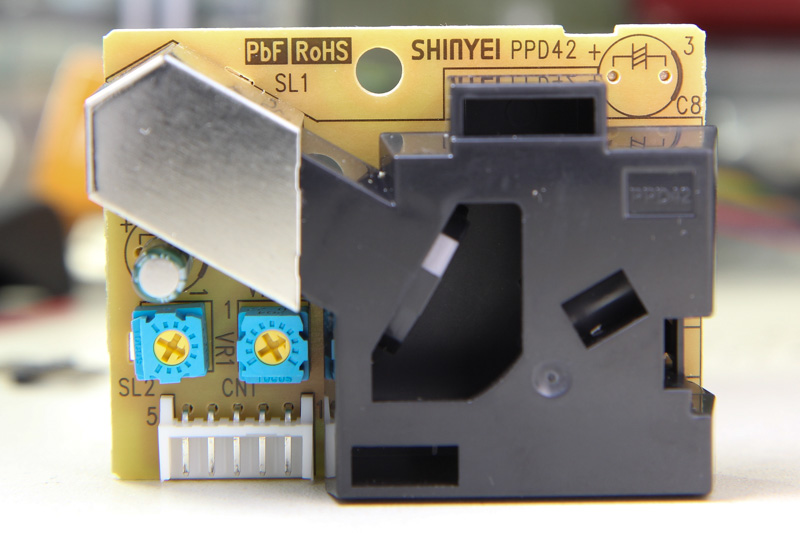
On the front, it has 2 pots labelled VR1 and VR3 that have been already factory-calibrated. The IR detector is covered under the metal can. Interestingly there’s a slot by the side labelled SL2 which is unused. If you’d like to see what’s under the hood, Chris opened up the black casing and posted a photo here.
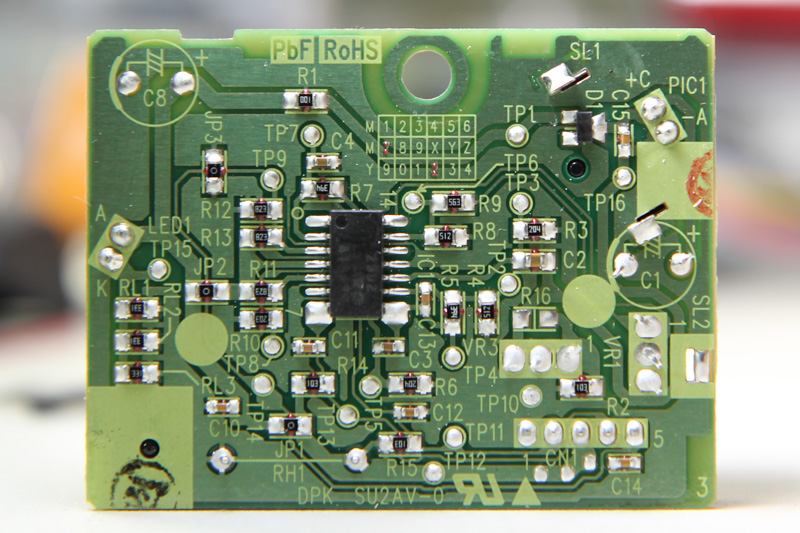
Looking at the date code grid on the PCB, the units look like they were manufactured in July 2012. The circuit consists largely of passives and an op-amp. RH1 is the resistor heater which, in theory, could be removed to save power if there was some other method of air circulation.
After some deliberation, I have decided to get a domain name as part of my online identity. Henceforth, this blog shall be known as… The existing WordPress links will redirect to the new domain, and everything else should be functioning as normal (please let me know if it’s not). Please update your bookmarks and your RSS feed URLs to point to the new domain. Although I may not have a lot of time, I will try my best to continue working on what I love and writing about it.
Written by Darell Tan on 18 Jun 2013Share Comments
Here’s a quick tip if you’re developing a really simple PHP site and need a development setup on Windows with minimal fuss. Don’t bother with a full LAMP stack like XAMPP, which requires you to run a batch file that will rewrite its Apache and PHP configuration files. PHP version 5.4.0 and above comes with a handy built-in webserver. Simply download the binaries for Windows and unzip it into a directory of your choice.
Written by Darell Tan on 10 Jun 2013Share Comments
Following up on my DIY slave flash project, I thought I’d get something more powerful than that tiny Xenon bulb. I bought the cheapest flash on DX.com - the CY-20. It has a considerably large bulb and as a plus, it has what looks like a tiny window on the front for automatic output control. The main reason for getting this was the 2.5 mm jack on the back of the flash that allows it to be externally triggered.
Opening it was easy. Remove the 4 screws that secure the hotshoe mount and go round the casing to release the retaining clips. Surprise surprise, take a look at the sensing window.
Written by Darell Tan on 13 Apr 2013Share Comments
Last month, I had the opportunity to fly halfway around the world to attend RSA Conference 2013. Everyone was given a lanyard and badge which contains your information entered during registration. When you visit booths, they can then scan your badge to collect your information and follow up by sending you spam.
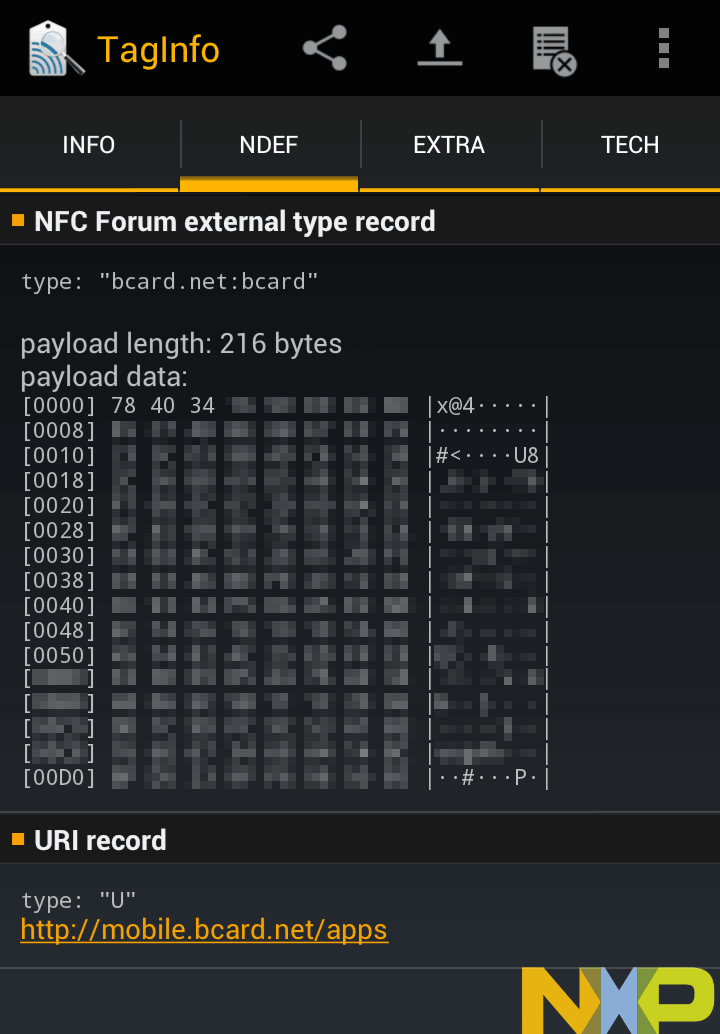
The scanner varies across different booths, but mostly it’s an Android device that ran a custom software. Since it had a large NXP logo, let’s try to read it with the NFC TagInfo app. Looks like the tag identifies itself as a NDEF message but the data is gibberish.
Written by Darell Tan on 30 Mar 2013Share Comments
Some time last year, Mats Engstrom shared his PHP script for generating commands to move components in CadSoft Eagle to form a perfect circle. If you look at the screenshot, it’s mainly made up of MOVE and ROTATE commands - relatively easy.
Eagle has what it calls user language programs (ULPs) for doing some simple scripting with the ability to display a dialog for user input. I decided to try my hand at creating a ULP that creates these circular layouts. The main advantage of using a ULP is that it has access to your board layout, saving you from some typing. You can also easily iterate through different parameters quickly and without hassle.
I shall illustrate briefly how this circular layout ULP can be used for doing various kinds of layout, with help from some open-source projects with Eagle CAD files.
Ringo3 Clock
The most common use for a circular layout is in clocks. Conveniently, Mats has a project called Ringo3. For photos of the PCB and assembled clock, see this Dangerous Prototypes forum topic.
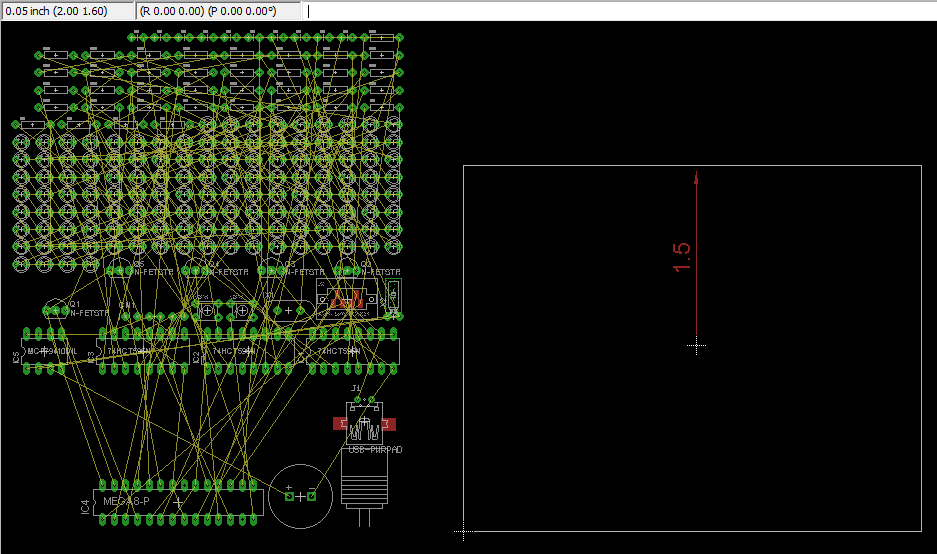
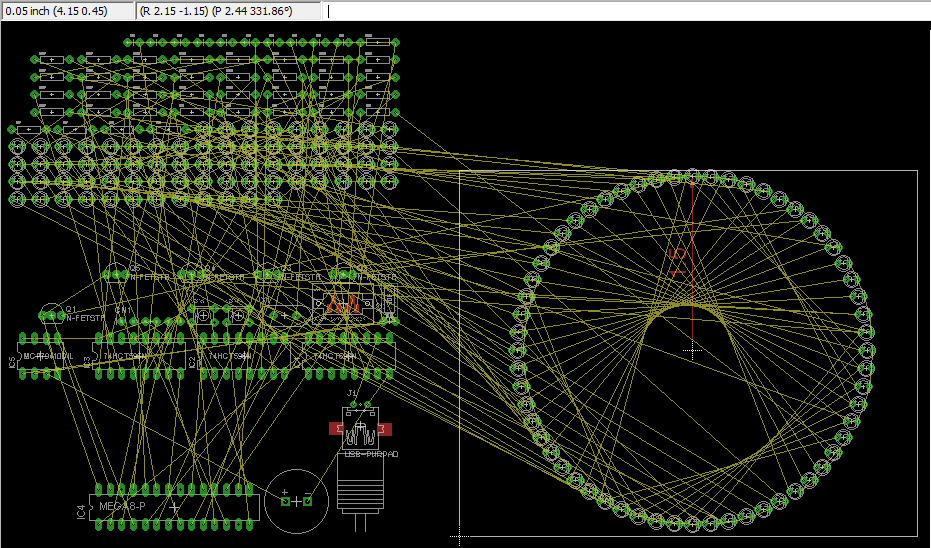
Delete the existing board (.brd) file to start with an empty PCB created from the schematic. We shall take (2.00, 1.60) to be the centre of the circle, as shown. Eagle 6 introduced a dimensioning tool, used here to show the radius of the circle (1.5") - handy but not a must.
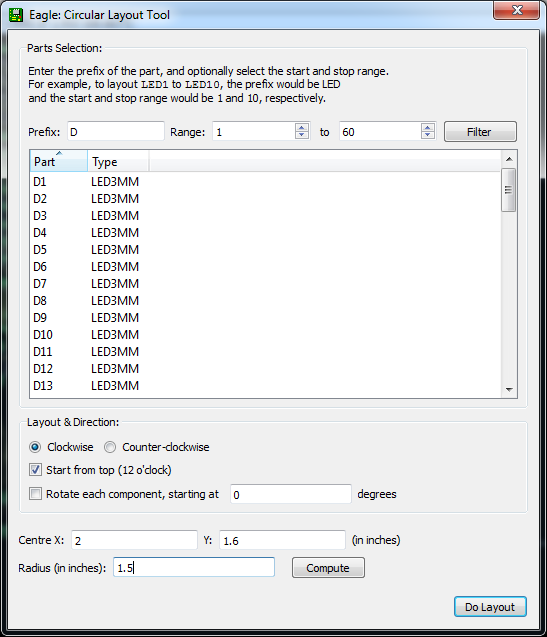
The circular layout ULP has 3 main sections: (i) parts selection, (ii) layout options, and (iii) circle centre point & radius. For parts, enter D for prefix and 1 to 60 and click the Filter button to select components D1 - D60 for layout. The handy table shows you the currently selected list of components. Enter 2 and 1.6 for the circle centre X, Y values that have been identified. The radius has been marked by the dimensioning tool as 1.5. The layout direction is “Clockwise” and we want to place D1 at the top “12 o’clock” position. Click the Do Layout button, and OK to start the layout.
You should see the components move into place as shown in the next figure.
If you make a mistake, you can always just hit Undo or hold down Ctrl+Z until all the components were back at their original positions.
Written by Darell Tan on 11 Mar 2013Share Comments
Recently, Panic noticed the odd output resolution and MPEG-like artifacts with the new Lightning digital AV adapter and decided to take a hacksaw to it. They found an ARM processor inside. image credit: Panic blog Shortly after, they received an anonymous comment that explains it all: The reason why this adapter exists is because Lightning is simply not capable of streaming a “raw” HDMI signal across the cable. Lightning is a serial bus.
Written by Darell Tan on 10 Dec 2012Share Comments
This weekend, I spent some time to replace my aged Linksys WRT54G wireless router, which is running DD-WRT. The WRT54G is slow by today’s wireless standards and since I sync my iOS devices wirelessly, the speed was getting quite unbearable. When I bought my Macbook Pro in 2007, it already has draft 802.11n support and fast-forward to 2012, my iPad (1st generation) and iPhone 5 both support the 5 GHz band.
The ASUS RT-N56U wireless router ranks up there on wireless performance, and the “feature” I was really after was a router that can run an alternative firmware such as Tomato or DD-WRT. The really good news is, I figured out how to get the functionality I wanted while still using the official ASUS firmware.
For proper reviews and better photos, you might want to check out these other reviews:
Written by Darell Tan on 11 Aug 2012Share Comments
In the previous post, techniques on how to capture an IR remote signal were presented and the most reliable one was using the Arduino sketch. The captured signal was also analyzed, although we had much of our work already done for us.
In this concluding post, a remote control whose protocol is unknown will be captured and analyzed as a case study. Lastly, we will cover the re-transmission of the IR signal. The remote control in question is for my ceiling fan, KDK model M56SR. The remote also works for two other fan models M56QR and M11SU.
Closest to the door, MarketAsia Distributors were selling Make Magazines, including the latest Vol 30. Singapore Robotic (sgBotic) was also there showing off their products. They were using what looks like the Sparkfun thermal printer to print discount codes from an Arduino. I asked them if the printer was for sale and they said maybe soon. Renesas Electronics Singapore was also there, showing off their GR-Sakura board which they hope will replace the Arduino.